A course editor built around real production, and a new path from layered storyboard to editable, narrated video. The training team keeps the knowledge, the source files and the final say.
The workCustom software · Training · AI-assisted workflows
Our contributionCourse framework, browser editor and production integration
Built for the people who know the material.
eSafety creates online workplace training, including courses built for OSHA compliance. Interactive Guru has developed its course software for years. The next challenge was practical: help the team work with existing courses and artwork while reducing dependence on a single authoring application.
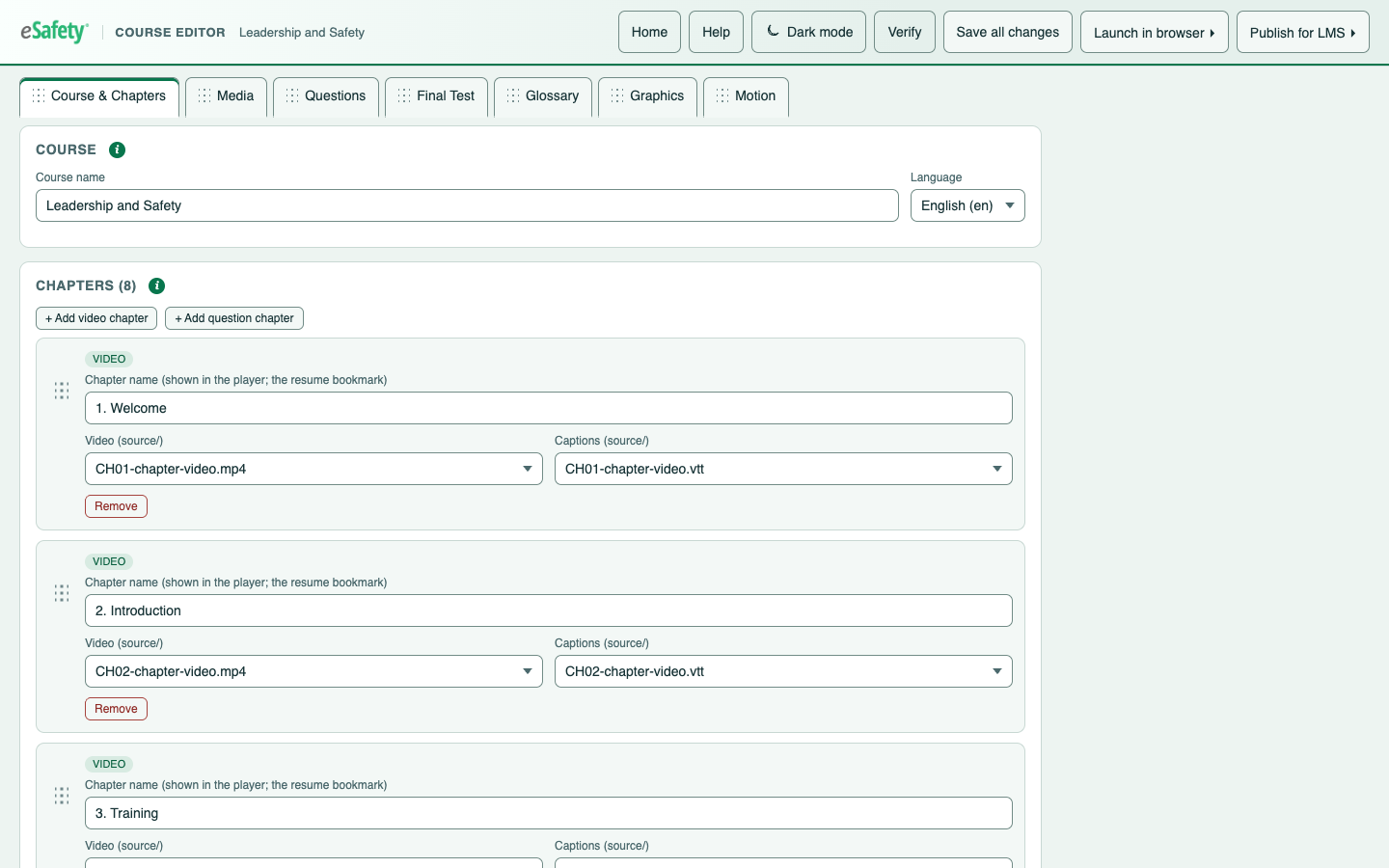
A workspace for the whole courseCourse structure, chapters, media and assessment tools in the eSafety Course Editor.
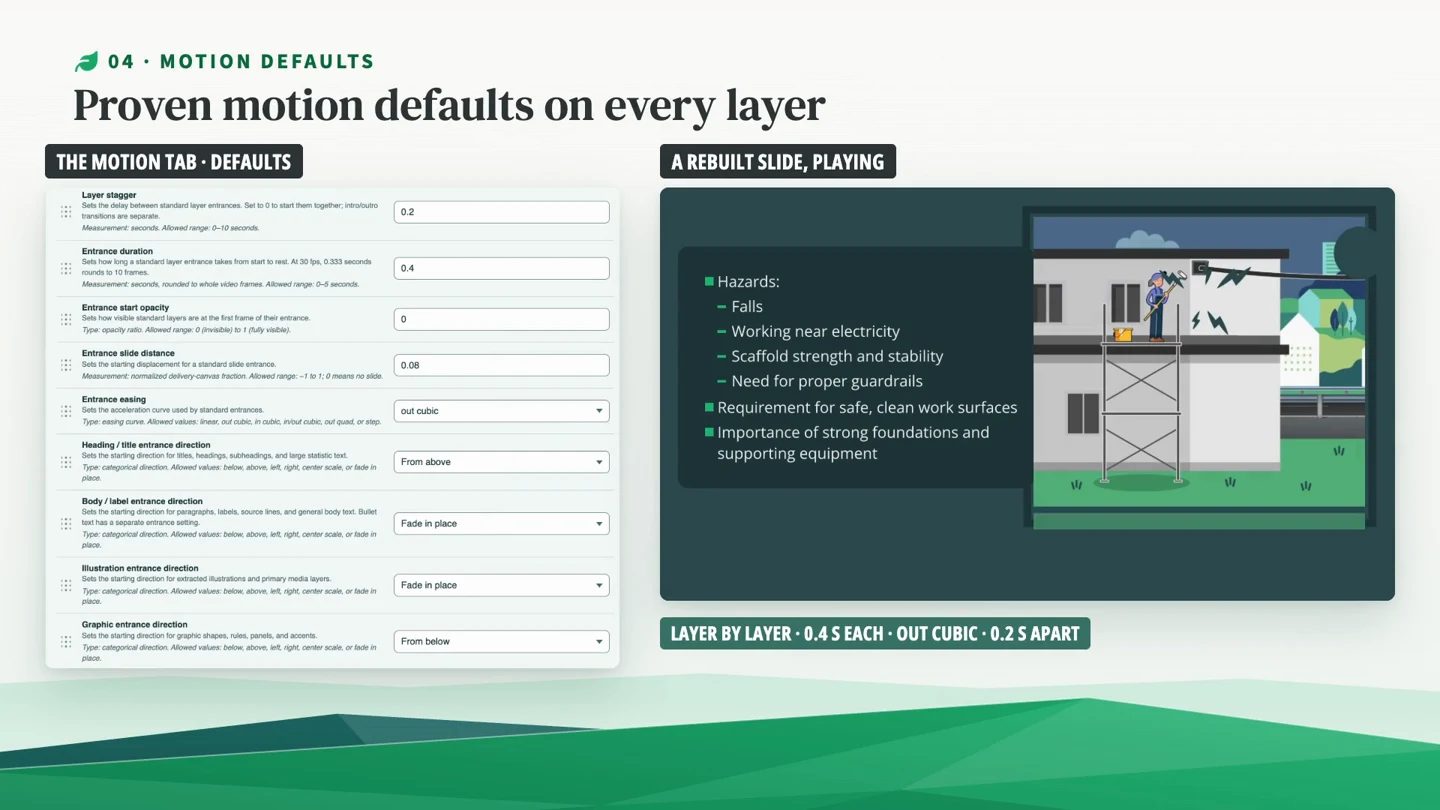
Every layer has a purposeStoryboard artwork rebuilt into timed, narrated and captioned animation.
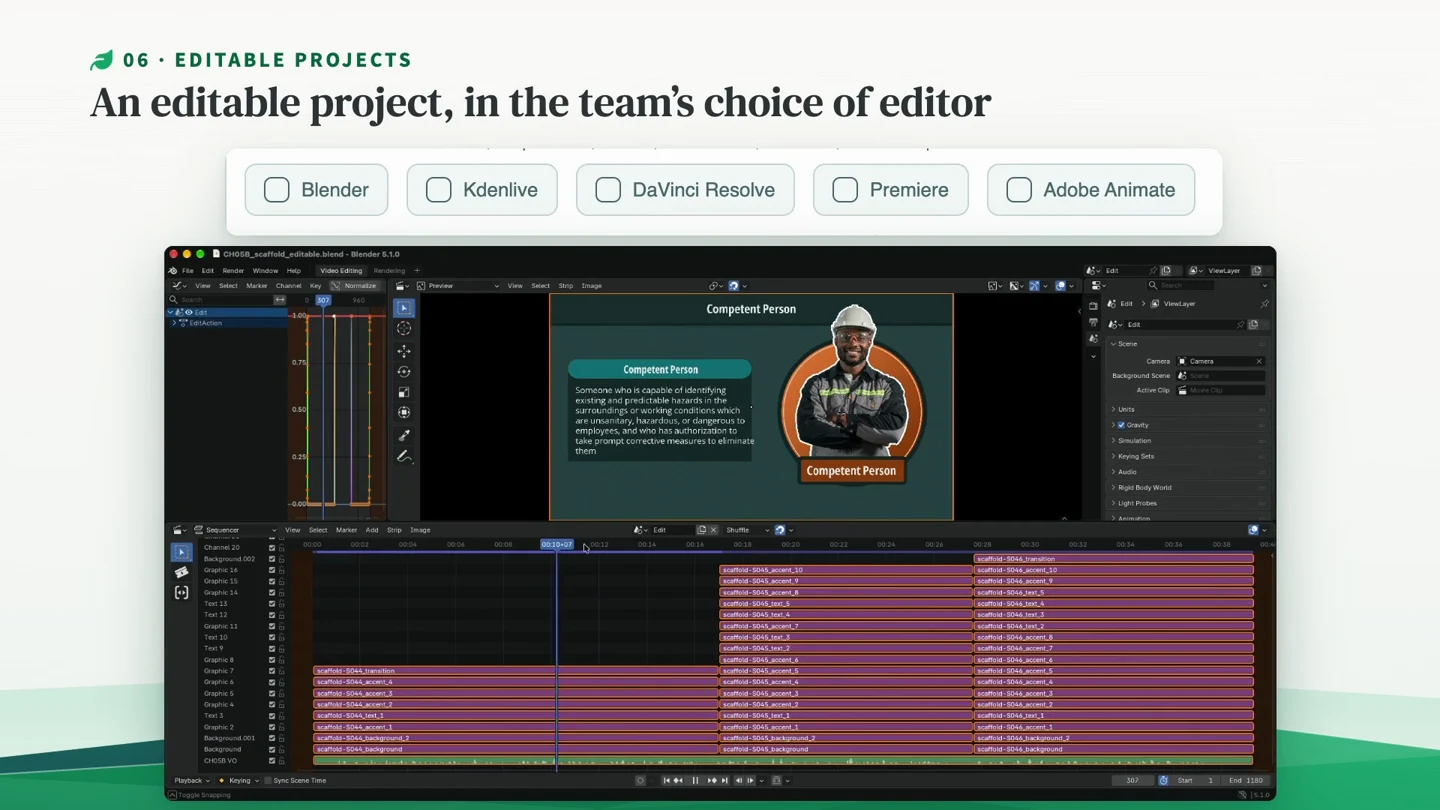
The final edit stays humanEditable project output offers a choice of finishing tools.
01
One workspace, the whole course.
The browser-based Course Editor brings chapters, media, questions and the final test together. The artwork remains editable too: SVG sprite sheets can be downloaded, changed and replaced. This is a production tool built around the structure of the team’s real courses.
02
Keep the player connected.
The course player works with eSafety’s own learning management system and can be delivered to other professional training systems through SCORM. The new authoring workflow builds on that existing course framework rather than abandoning it.
03
From the original storyboard to editable motion.
Software opens the supplied storyboard directly, without an Adobe application. It reads the script, production notes and artwork layers, then rebuilds each board as narrated, captioned video. Layer timing follows the narration, with motion defaults the team can control.
04
Automate preparation. Preserve judgment.
Local, free AI models produce narration, then listen back to check it against the script. The pipeline prepares the chapter and hands over a layered, keyframed project for Blender, Kdenlive, DaVinci Resolve, Adobe Premiere or Adobe Animate. People choose the finishing application and make the final human edit. The goal is platform freedom through open files the team owns.
“Their commitment to quality, problem-solving expertise, and exceptional attention to detail have made my life so much easier.”
Jeff TorreyCourse Creation Director · eSafety
What should your software understand?
Bring the existing process, the content and the work your team wants to spend less time repeating.