PontoonStuffPlan the deck. Picture the whole boat.
Two ways to make a complex purchase tangible: build a precise deck plan from individual parts, or explore a ready-made boat in 3D. Both connect the customer’s choices to the store’s cart.
The workInteractive commerce · 2D & 3D configuration
Our contributionDevelopment by Interactive Guru · Design partner: Nextpoint Studio
A real purchase starts with a workable plan.
PontoonStuff sells the components customers use to rebuild a pontoon boat. An individual seat or railing is easy to browse. Understanding how all those parts fit together is a different task. The two planning tools serve different kinds of buyers while keeping the plan connected to the same store.
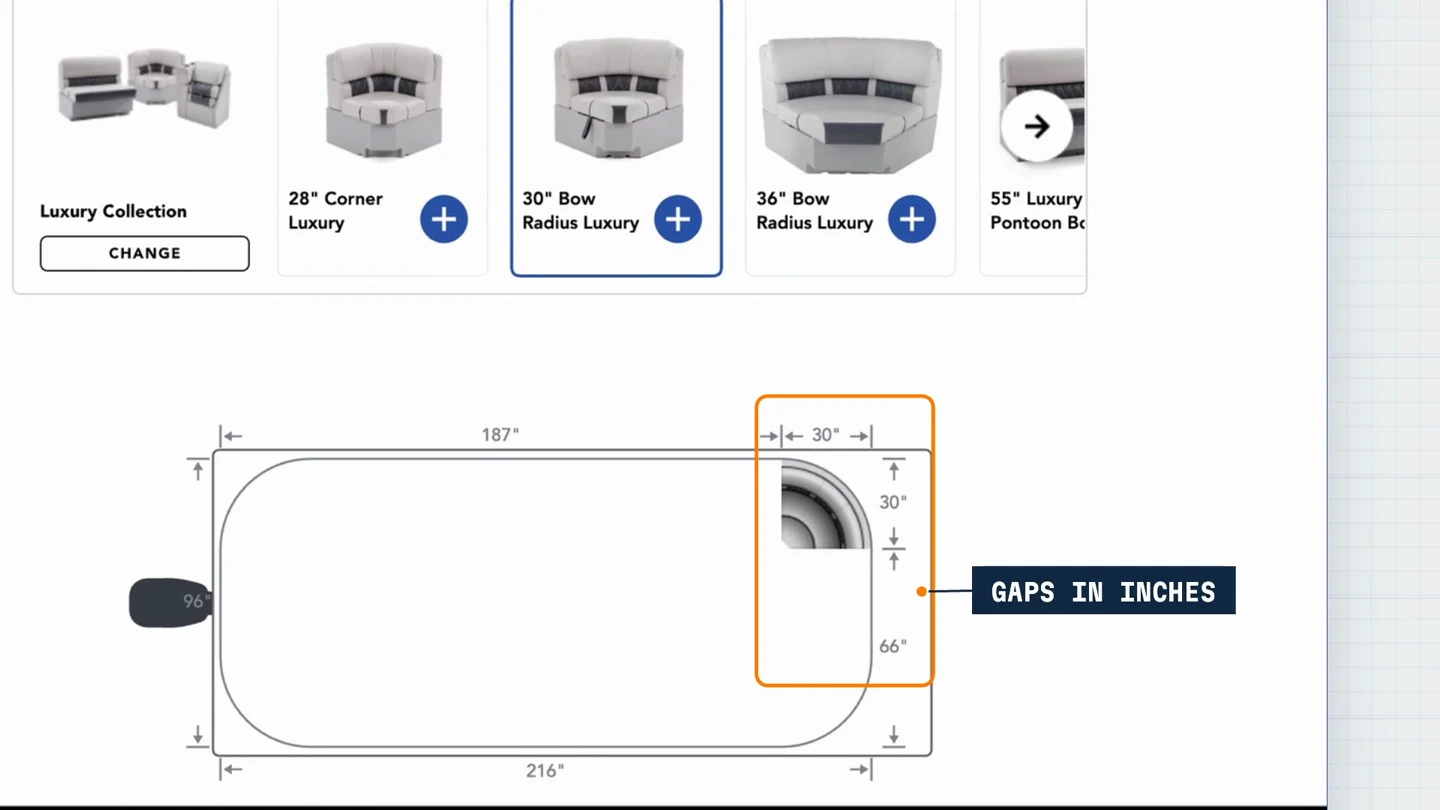
Plan to the inchSeats snap into the deck’s rail geometry, with live measurements between components.
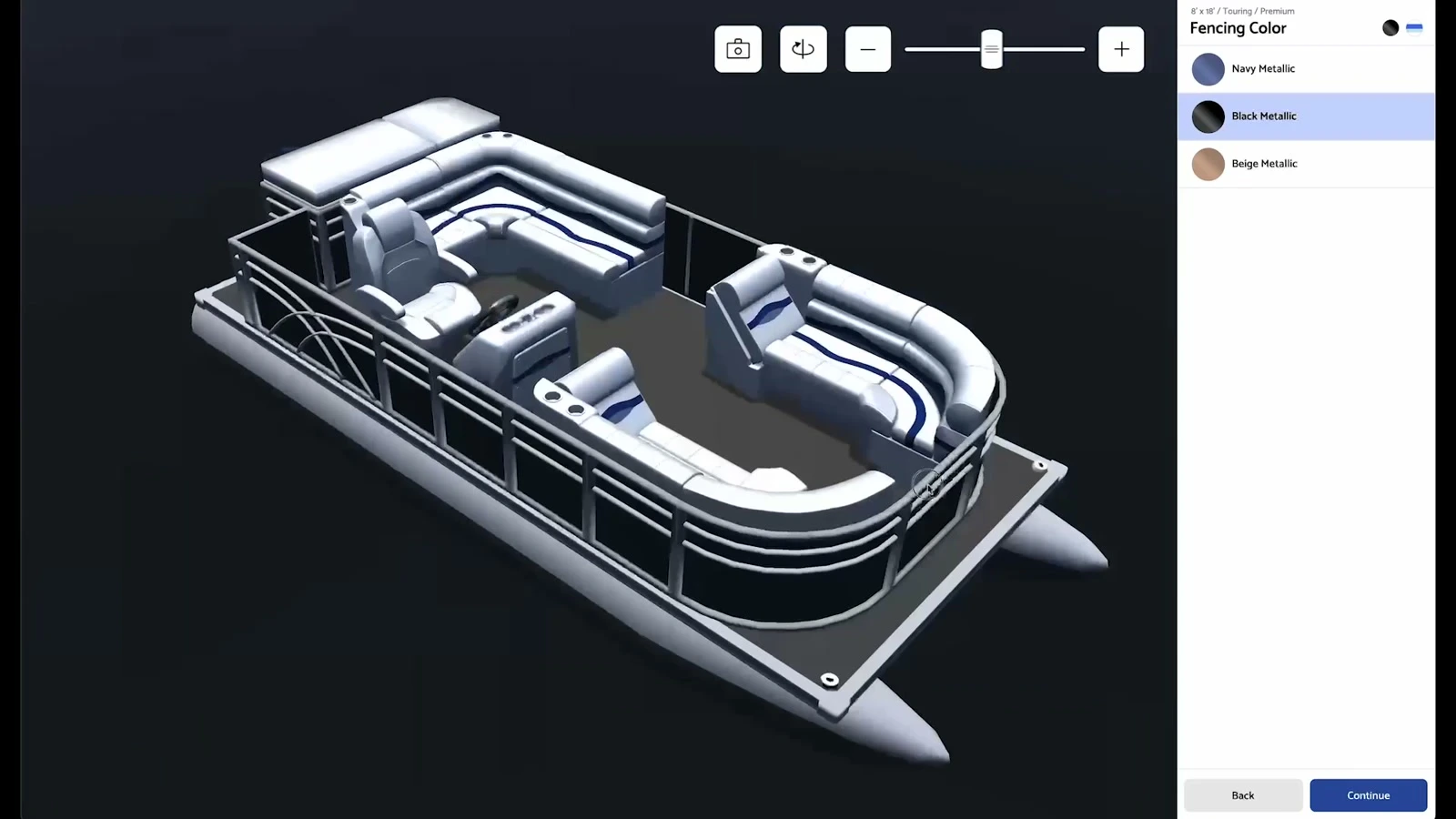
See the whole configurationA ready-made layout can be explored with its selected finishes and bimini top.
A system the store can maintainThe project film illustrates how part IDs, positions and rotations in a Google spreadsheet become a boat layout.
01
Start with the real dimensions.
The 2D Deck Designer begins with the customer’s deck size. Customers select seats, turn them and drag them into place. A corner seat locks into the rail’s curve; measurements update as benches move. Doors, flooring and other components complete the layout before its parts move to checkout.
02
Explore a ready-made boat.
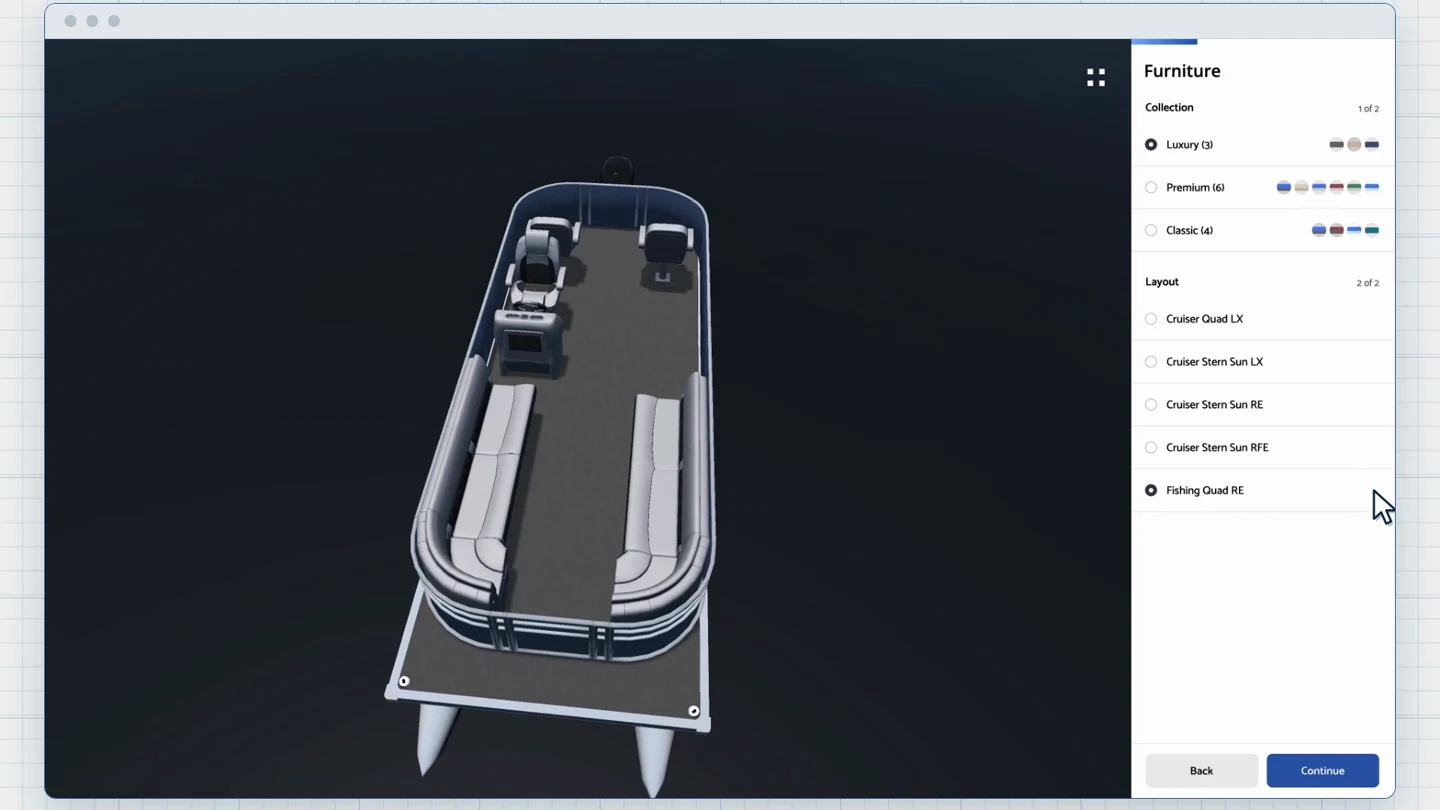
For customers who prefer a complete starting point, the 3D builder presents store-managed layouts. Buyers choose the size and seating layout, change colors and the top, remove the fencing to inspect the interior, and turn the boat to understand the whole configuration.
03
Let the team maintain the layouts.
The 3D layouts come from a Google spreadsheet. The store’s team enters the part, its position and its rotation. The builder reads that data and assembles the boat. A layout change starts with the sheet, rather than a new application-code release.
04
One live catalog. One store cart.
Both tools connect to Shopify. Products, colors and sizes arrive through Shopify’s GraphQL API. When a buyer finishes, the selected parts and their correct variants move into the store’s cart. Interactive Guru developed the applications and integrations with design partner Nextpoint Studio.
A product you can understand before you buy.
Specifications tell part of the story. The builder lets a customer see how seating, layout and finish work together on a real configuration.
Shown here: an original 18′ Luxury Cruiser Quad LX project configuration.
The project image and films remain available without 3D. If your browser supports it, choose “Explore” to load the model.
“Interactive Guru has been our trusted partner for many years. They consistently deliver exceptional development work for our projects, and their expertise and reliability have been invaluable to our success in creating seamless digital experiences for our client’s customers.”
Danny GaydouFounder & CEO · Nextpoint Studio
What could your customers understand by exploring?
A configuration, a product range or a purchase that needs to make sense before it reaches the cart.